If you’ve ever spent hours manually copying metrics between Google Ads, Facebook Ads, and Microsoft Advertising reports, you know the frustration of cross-platform analysis. It’s tedious, error-prone, and eats up valuable time you could spend on strategy. You’re not alone—marketers and agencies across the board struggle with this exact problem.
The Manual Way (And Why It Breaks)
Most marketers who want to compare performance across ad platforms fall back on spreadsheets. They download CSVs from each platform, open them individually, and painstakingly copy data into a master sheet. This process is slow, full of human error, and breaks down when you have dozens of campaigns or want to run regular comparisons. If you’re using the API, it also runs into rate limits and requires you to write separate logic for each platform. Even when you’re careful, you end up with inconsistent data formats and missing fields that require post-processing. The effort doesn’t scale, and the insights you get can be misleading due to misaligned time zones or data discrepancies.
The Python Approach
Here’s a simple Python script that demonstrates how you might begin to unify data from multiple ad platforms:
import pandas as pd

# Load data from each platform
google_df = pd.read_csv('google_ads_data.csv')
meta_df = pd.read_csv('meta_ads_data.csv')
ms_ads_df = pd.read_csv('microsoft_ads_data.csv')

# Standardize column names across platforms
google_df.rename(columns={'Clicks': 'clicks', 'Cost': 'cost', 'Conversions': 'conversions'}, inplace=True)
meta_df.rename(columns={'Clicks': 'clicks', 'Spent': 'cost', 'Conversions': 'conversions'}, inplace=True)
ms_ads_df.rename(columns={'Clicks': 'clicks', 'Spend': 'cost', 'Conversions': 'conversions'}, inplace=True)

# Add platform identifier
google_df['platform'] = 'google'
meta_df['platform'] = 'meta'
ms_ads_df['platform'] = 'microsoft'

# Combine datasets
combined_df = pd.concat([google_df, meta_df, ms_ads_df], ignore_index=True)

# Calculate key metrics
combined_df['roas'] = combined_df['conversions'] / combined_df['cost']
combined_df['cpa'] = combined_df['cost'] / combined_df['conversions']

# Save result
combined_df.to_csv('unified_campaign_data.csv', index=False)
This snippet takes CSV data from three platforms, renames fields for consistency, and calculates ROAS and CPA. While helpful for small tasks, it assumes clean inputs, no missing data, or inconsistent column names, and doesn’t handle error checking or output formats. For real-world campaigns, it quickly becomes unwieldy.
What the Full Tool Handles
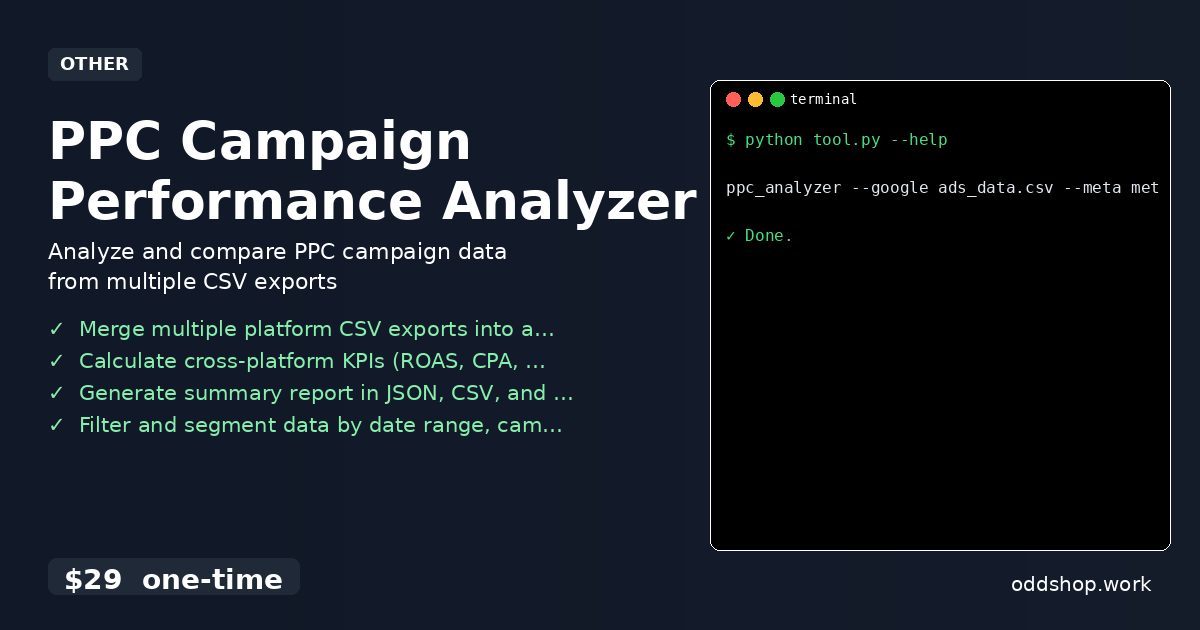
The full PPC Campaign Performance Analyzer addresses the limitations of DIY scripts:
- Handles missing or mismatched columns gracefully
- Detects data anomalies and alerts users
- Supports multiple input formats and platforms
- Offers a command-line interface
- Outputs in JSON, CSV, and Markdown for easy reporting
- Filters and segments data by date, campaign, or status
Running It
To run the tool, you’ll pass in your data files and specify where to save the report:
ppc_analyzer --google ads_data.csv --meta meta_data.csv --output report.json
This command merges your Google and Meta data into a single report, calculates key metrics, and saves the result as a JSON file. You can also use --output-format csv or --output-format markdown to switch output types.
Results
You get a unified, clean dataset in seconds—no more manual copying or data mismatches. The tool generates a summary report that includes KPIs like ROAS, CPA, and CTR across all platforms, helping you make faster, data-driven decisions.
Get the Script
If you’re tired of wrestling with spreadsheets and building scripts from scratch, this is the upgrade you’ve been waiting for. Skip the trial and error—it’s already built and tested for marketers like you.
Download PPC Campaign Performance Analyzer →
$29 one-time. No subscription. Works on Windows, Mac, and Linux.
Built by OddShop — Python automation tools for developers and businesses.