Imagine automatically grouping your marketplace products by category, condition, and price range with a single Python script.
If you’re running a marketplace business, you’ve likely spent hours manually sorting listings, calculating profit margins, and compiling reports. The process is tedious, error-prone, and eats up valuable time. There’s no good way to scale this without automation — but how do you actually get there?
The Manual Way (And Why It Breaks)
Most business owners who sell on platforms like eBay handle product analysis in spreadsheets or by manually exporting listings and copying data into tools like Excel. They then spend hours doing manual groupings, applying formulas, and calculating fees — not to mention the risk of human error. You might hit API rate limits if you try to automate via API, or worse, end up with inconsistent or incomplete data from different export formats.
And when your inventory grows, you’re left with a mountain of data and no real way to make sense of it all without investing in expensive tools or hiring someone to do it for you.
The Python Approach
Here’s a simplified version of what a script might look like to automate some of these tasks:
import csv
import sys

def process_ebay_listings(input_file, output_file):
    with open(input_file, 'r') as infile, open(output_file, 'w', newline='') as outfile:
        reader = csv.DictReader(infile)
        writer = csv.DictWriter(outfile, fieldnames=['Title', 'Price', 'Condition', 'Category', 'Profit'])
        writer.writeheader()

        for row in reader:
            price = float(row['Price'])
            cost = float(row['Cost']) if row['Cost'] else 0.0
            profit = price - cost
            writer.writerow({
                'Title': row['Title'],
                'Price': price,
                'Condition': row['Condition'],
                'Category': row['Category'],
                'Profit': profit
            })

if __name__ == "__main__":
    process_ebay_listings(sys.argv[1], sys.argv[2])
This snippet reads a CSV file with eBay-style columns, extracts key data, and writes a cleaned version with profit calculations. It works for a basic dataset, but it doesn’t handle varying CSV structures, edge cases like missing data, or more advanced features like fee calculations or grouping logic.
What the Full Tool Handles
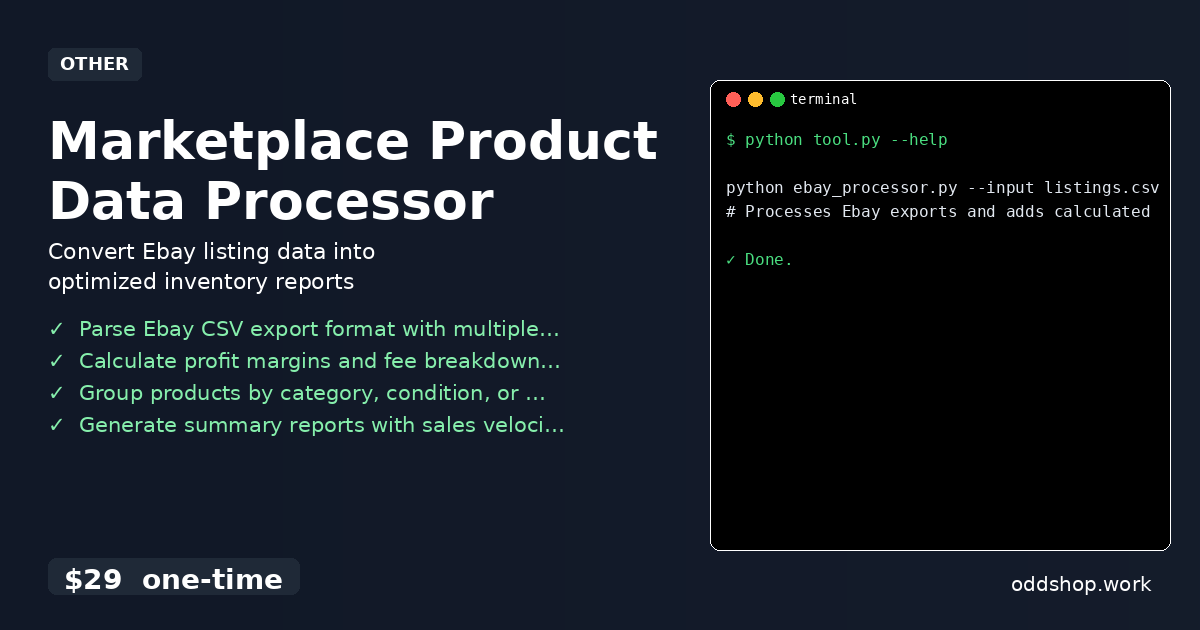
The Marketplace Product Data Processor goes well beyond basic scripts and solves real-world problems:
- Parses multiple Ebay export formats with flexible column mapping
- Handles missing or malformed data gracefully
- Calculates profit margins, includes fees and shipping costs
- Groups products by category, condition, or price range
- Generates summary reports with sales velocity metrics
- Outputs cleaned data to standardized CSV with consistent formatting
It’s built to handle real-world data, not just clean examples.
Running It
You can run the tool like this:
python ebay_processor.py --input listings.csv --output report.csv --fees
# Processes Ebay exports and adds calculated profit margins
This command takes your raw eBay export, processes it, and outputs a clean report with profit data. The --fees flag enables automatic fee calculations. Other options include --group-by to group by condition or category, and --summary to generate a sales velocity report.
Results
With this script, you can turn hours of manual work into minutes. You get a clean, structured report that can be easily imported into your analytics dashboard or inventory system. It solves the core problem of making sense of product data without lifting a finger — especially if you’re selling on multiple platforms or have hundreds of listings.
Get the Script
If you want to skip the build and get a polished, tested version that handles all the edge cases, try the Marketplace Product Data Processor.
Download Marketplace Product Data Processor →
$29 one-time. No subscription. Works on Windows, Mac, and Linux.
Built by OddShop — Python automation tools for developers and businesses.